Fender Play: Music Lessons
- 4.4
- Rating
- 1.00M
- Installs
- Free
- Price

 Analysis by App-foxy
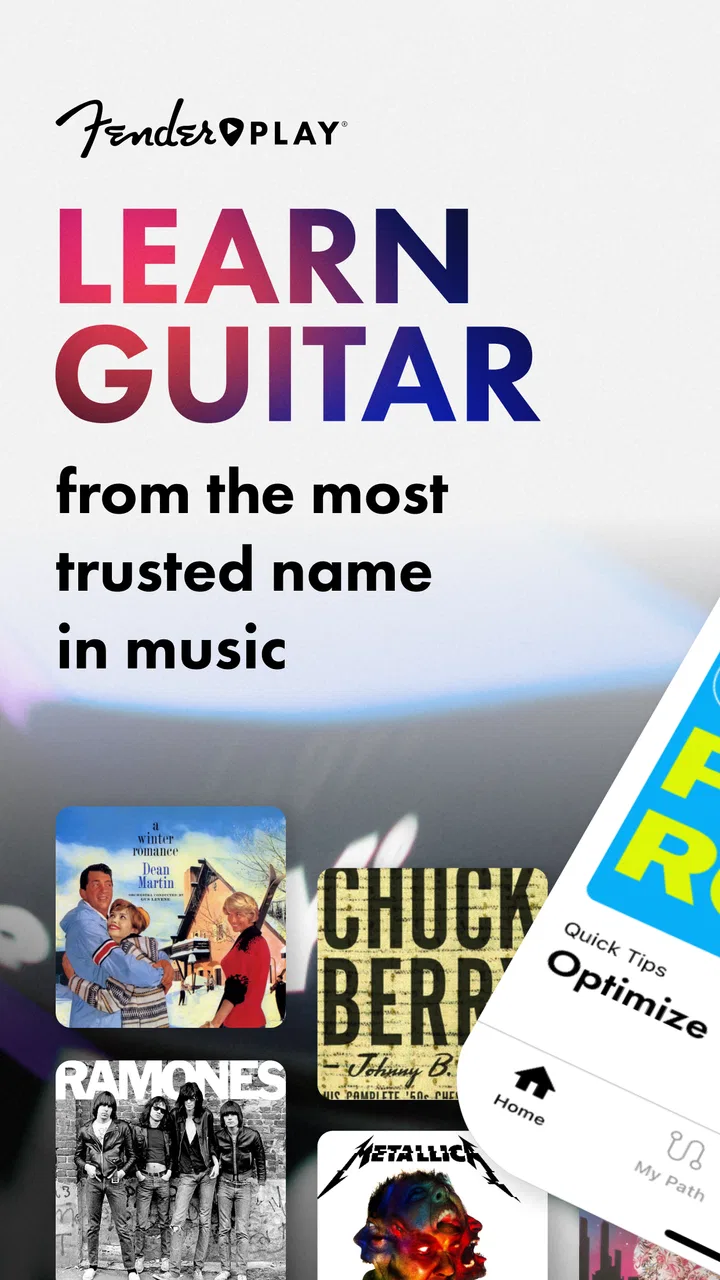
I approached Fender Play: Music Lessons as someone who wanted a practical way to learn guitar without turning every practice session into a research project. It is an education app from Fender Musical Instruments Corporation, built around guided lessons for guitar, bass, and ukulele. The basic download is free, while optional in-app purchases range from $4.99 to $149.99 per item, so the important question is not simply whether it costs money. The real question is whether its structured approach gives you enough direction to justify paying for more access.
My overall impression is that Fender Play is most useful when you already own an instrument and need a clear routine. It does not magically make practice easy, and it is not a substitute for personal feedback from a teacher. What it does well is reduce the time I would otherwise spend jumping between unrelated videos, wondering what to learn next. The lessons are arranged as step-by-step video instruction, which makes the experience feel more like following a course than browsing a pile of tutorials.
How the learning experience feels in everyday use
The first strength is its sense of direction. A beginner can open the app with a vague goal such as “I want to play songs” and receive a more approachable path than searching for isolated chord videos. That matters because new players often collect information faster than they build skill. One lesson may explain a chord, another may demonstrate a strumming pattern, and a third may assume knowledge that the learner has not developed yet. A guided sequence helps prevent that kind of accidental gap.
You May Also Like

 Blood Strike: 2.5 Anniversary
Blood Strike’s Loadouts Turn Every Drop Into a Tactical Gamble
A close look at Blood Strike’s custom loadouts: how fast access to signature weapons reshapes its battle royale rhythm, rewards preparation, and narrows the gap between fights.

 Pandora - Music & Podcasts
Pandora’s Music Is Easy to Start, but Harder to Recover
Pandora’s strength is its low-effort path from a seed to a station. Its weak spot is how much confidence it asks you to place in connection, setup, and quiet recovery.

 8 Ball Pool
 Is Built on Rivalries, Rematches, and Routine
A close look at the rivalries, rematches, shared routines, and unanswered safety questions that turn a quick pool match into a persistent mobile community.

 Samsung Music
’s Quiet Strength Is Playing What You Already Own
Its reach comes less from spectacle than from dependable access to a personal library. That simplicity is both the app’s strongest retention engine and its ceiling.

 AccuWeather: Weather Radar
AccuWeather Review: A Quick, Clear Forecast for Everyday Decisions
For everyday plans, the best forecast is the one you can understand quickly. AccuWeather makes rain timing, radar, and local conditions easy to act on, with a few trade-offs.

 Hill Climb Racing
Why Hill Climb Racing Still Turns Crashes Into One More Run
A tiny car, a bumpy hill and one more upgrade: Hill Climb Racing keeps resurfacing because its simple chaos makes every near-miss feel personal.
More From Our News Desk



I also like that the app serves three closely related instruments rather than focusing only on standard guitar. If you are deciding between guitar, bass, and ukulele, having lessons in the same learning environment can make the choice feel less restrictive. It is especially practical for a household where different people play different instruments, although each person will still need to judge whether the teaching path matches their personal goals.
The video format is approachable for people who learn best by watching hand position and movement. Written chord diagrams can be useful, but they do not always show the small physical details that make a technique comfortable. Seeing a demonstration gives me a better chance of noticing rhythm, posture, and the relationship between the picking or strumming hand and the fretting hand.
That said, video instruction has a built-in limitation: the teacher cannot see what I am doing. If my wrist is tense, my fingers are muting nearby strings, or my timing is drifting, the app can show the correct action but cannot personally correct me. I would treat the lessons as a strong starting framework, not as a complete replacement for human instruction.
A useful routine for short practice sessions
Fender Play fits best into a repeatable routine rather than an occasional burst of enthusiasm. I would begin by watching the lesson once without touching the instrument, then replay the relevant section while copying the movement slowly. After that, I would stop the video and test the technique alone. This small change is important: passive watching can feel productive while leaving the hands untrained.
For a busy weekday, a compact session could involve one lesson, a few minutes of slow repetition, and a final attempt without looking at the screen. The last step reveals whether I actually learned the motion or merely followed along. On a weekend, I would revisit an earlier technique before moving forward. That creates a simple feedback loop without requiring extra equipment or a complicated practice journal.
One non-obvious advantage of this workflow is that it separates understanding from execution. I can watch a chord change and think it looks simple, but the transition may still be clumsy. By returning to the same lesson after a day away, I can tell whether the movement is becoming automatic. The app supplies the material; the learner still has to create the repetition.
Another practical tip is to keep the instrument ready before opening the lesson. If I start by searching for the right pick, tuning, or clearing a chair, the session loses momentum. The app is more valuable when it becomes the trigger for playing rather than another item in a long preparation ritual.
What the free and paid sides mean for value
The app is available free of charge, which makes it reasonable to try before deciding whether its teaching style suits you. That free entry is valuable because learning preferences vary widely. Some people want a calm, ordered curriculum, while others prefer to search for one specific song or technique and move on. Trying the experience first is more sensible than assuming a subscription-style learning product will fit everyone.
There are optional purchases inside the app, with listed prices spanning from $4.99 to $149.99 per item. Those figures describe the available purchase range, not a promise that every learner will need the most expensive option. I would decide only after testing whether the lesson format keeps me practicing. Paying for access to a course I rarely open is poor value, even if the content itself is well presented.
The app’s value is therefore tied to consistency. A person who practices several times a week may get much more from structured lessons than someone who opens it once every few weeks. The purchase makes more sense when Fender Play becomes the main learning path, rather than an extra source of videos beside several free alternatives.
I would also avoid treating the free download as proof that the complete learning experience will remain free. The presence of in-app purchases means the cost decision belongs in the trial period. Before committing, I would explore the available starting material, see how naturally the progression fits my ability, and consider whether I want a broad course rather than occasional individual tips.
Where it compares well with ordinary alternatives
The usual free alternative is a collection of online videos. That approach can be excellent for a learner who already knows what to practice. It is less comfortable for someone who needs sequencing. Fender Play’s main advantage is not that every individual lesson must be better than every free video. Its advantage is the reduced decision-making between lessons.
Compared with a private teacher, the app is more convenient and easier to fit around changing schedules. It also lets me replay an explanation without feeling embarrassed about asking the same question again. The trade-off is personal diagnosis. A teacher can adapt instantly when a student is struggling, change the exercise, or notice a physical habit that a prerecorded lesson cannot address.
Compared with a printed method book, the app offers more visible demonstration. A book can be excellent for reference and may be easier to scan quickly, but it does not show movement in the same way. On the other hand, a physical book does not depend on opening a device during practice and can be easier to annotate. The better choice depends on whether I need visual guidance or a permanent, quiet reference.
Compared with a song-first learning approach, Fender Play is likely to feel more orderly and less immediately spontaneous. Learning only favorite songs can keep motivation high, but it can also leave awkward gaps in rhythm, chord changes, or technique. A structured course may feel slower at first while giving those basics more attention. I would choose the song-first route if immediate enjoyment is my strongest motivator and the course route if I tend to get lost without a plan.
Small details that affect the decision
The app is rated for Everyone, so it is positioned as broadly suitable from an age-classification perspective. That does not mean every lesson will match every child’s attention span or every adult’s musical ambition. A younger learner may still benefit from an adult helping with setup and practice habits, while an experienced player may find introductory material too slow.
Its current version is 8.0.1, and it supports operating systems from version 9 onward. For most people, the more important practical check is whether the device is comfortable to use while holding an instrument. A small screen can make demonstrations harder to follow, and placing a phone where it will not be bumped takes a little thought. I would use a stable stand or a larger screen when possible, not because the app replaces a teacher, but because poor viewing angles can create unnecessary frustration.
There is also a difference between learning a movement and learning music. A lesson can explain what to do, but musical timing develops through repeated listening and playing. I would occasionally practice away from the screen so I am not dependent on copying the video in real time. This is one of the more important trade-offs: the app can organize practice, but it should not become a crutch that prevents independent playing.
For left-handed players, people with unusual tunings, or learners working toward a very specific advanced style, I would pay close attention to how well the available path matches the instrument and goal. A broad lesson platform can be welcoming while still being less precise than a specialist teacher. If the course direction feels mismatched early on, forcing it simply because the brand is familiar will not improve the result.
Who is most likely to get their money’s worth
I think the strongest audience is a beginner who has an instrument at home, wants recognizable progress, and benefits from being told what to work on next. It is also a good fit for someone returning after years away. That player may remember a few chords but need a gentle way to rebuild coordination without pretending to be advanced.
It can also suit a self-directed learner who dislikes scheduling lessons. The ability to revisit a video privately is useful when a technique takes several attempts to understand. Someone with an irregular week may appreciate being able to continue when time becomes available instead of losing a scheduled appointment.
A realistic example would be a person who finishes work, has twenty minutes before dinner, and wants to play rather than scroll through random tutorials. With the instrument already out, a guided lesson can turn that short window into a defined task. The progress may be modest, but the routine is repeatable. Over time, that consistency is more meaningful than one long session followed by a week of inactivity.
Families and households may also find the multi-instrument focus appealing if one person plays guitar while another is curious about bass or ukulele. The usefulness depends on how many people actually practice, so I would not assume that shared interest automatically makes a higher-priced purchase worthwhile. The cost should be judged against real usage, not the number of instruments the app covers.
Who should choose something else
I would skip Fender Play if I already have a strong practice plan and only need isolated answers. A search engine or a focused tutorial may be faster when the question is simply how to finger one chord or play one particular rhythm. The app’s organized path is its strength, but that same structure can feel unnecessary for an experienced musician.
I would also look elsewhere if direct correction is essential. Players dealing with persistent pain, serious posture concerns, or a very specialized technical goal should consider working with a qualified teacher who can observe them. A video lesson can demonstrate healthy technique, but it cannot evaluate the individual body in front of it.
Finally, it may not suit someone motivated exclusively by instant song results. Foundational practice can be rewarding, but it is not always as exciting as jumping straight into a favorite track. If motivation disappears whenever a lesson feels methodical, a more song-centered option may keep that person playing more consistently.
My final recommendation
Fender Play is a thoughtful education app for guitar, bass, and ukulele learners who want a guided route instead of assembling their own curriculum. Its free availability makes an initial trial sensible, while the optional purchases require a more personal value judgment. I would pay only if the lessons genuinely become part of my weekly routine and reduce the uncertainty that normally stops me from practicing.
The app has reached over a million installs and holds a 4.4 average from around thirteen thousand ratings, which suggests that its approach has found a substantial audience. Those figures do not decide whether it is right for me, but they do place it among the more established choices in this kind of learning category. The developer, Fender Musical Instruments Corporation, also gives the product a clear connection to the instruments it teaches, though brand recognition alone should not replace testing the actual lessons.
My recommendation is to try the free experience with a specific practice routine before buying anything. If I want structure, visual demonstrations, and a dependable next step, I would keep using it. If I need personal correction, highly specialized instruction, or only quick song-specific answers, I would choose a teacher or a more targeted resource instead. That is the honest dividing line: this app is valuable not because it removes the work of learning, but because it makes the work easier to organize.
FAQs for Fender Play: Music Lessons
01What is Fender Play: Music Lessons?
Fender Play is an online learning app designed to help beginners and developing musicians learn guitar, bass, and ukulele. Lessons are organized into guided pathways and include video instruction, demonstrations, practice exercises, songs, and technique explanations. The app is aimed at users who want a structured alternative to searching randomly for tutorials, although progress still depends on regular practice outside the app.
02Which instruments and music styles can I learn with Fender Play?
The app primarily supports acoustic guitar, electric guitar, bass, and ukulele. Available lessons cover several popular styles, including rock, blues, pop, country, folk, and related techniques. The exact course material can vary by instrument and subscription access. Before downloading, users should check whether their preferred instrument, playing level, and musical goals are covered by the current Fender Play catalog.
03Is Fender Play suitable for complete beginners?
Yes. Fender Play is particularly useful for people starting from scratch because its lessons introduce basic topics such as holding the instrument, tuning, chords, rhythm, picking, and simple song playing. The guided learning paths make the experience less overwhelming than choosing unrelated videos. However, beginners should expect to repeat exercises and build finger strength gradually rather than mastering songs immediately.
04Does Fender Play require a subscription?
Fender Play generally provides access through a paid membership, and the available pricing, trial period, and promotional offers may depend on the platform, region, or current offer. Some content may be viewable before subscribing, but full learning paths and song lessons typically require membership. Users should review the subscription terms carefully, including renewal dates, cancellation rules, and whether billing is handled through Apple or Google.
05Can I use Fender Play without an internet connection?
Fender Play is mainly designed for streaming lessons, so a reliable internet connection is normally needed to watch instructional videos and browse the course library. Depending on the current app version and membership features, selected content may be available for offline use, but users should not assume that every lesson can be downloaded. It is best to check download options inside the app before practicing away from Wi-Fi.
Pros
- Clear
- structured lessons for guitar
- bass
- and ukulele players.
- Video instruction is easy to follow for beginners.
- Lessons cover multiple genres and playing styles.
- Practice tools help learners build regular playing habits.
- Works well for learning at your own pace.
Cons
- Full access requires a paid subscription after the trial period.
- Some lessons may feel too basic for experienced musicians.
- A stable internet connection may be needed for video streaming.
- The song selection may not satisfy every musical preference.
- Limited feedback compared with learning directly from a teacher.

Fender Play: Music Lessons
Gallery